

- You need to be a club admin or owner.
- Set your court count first. See Add your home venue and courts.
- Tap What hosting takes, under the title, for what each division needs per match.
Offer your courts
1
Open Host availability
In Club HQ, tap Schedule in the menu, then the Host availability tab.
2
Pick a day
Tap a date in the strip. Tap the arrows for earlier or later days.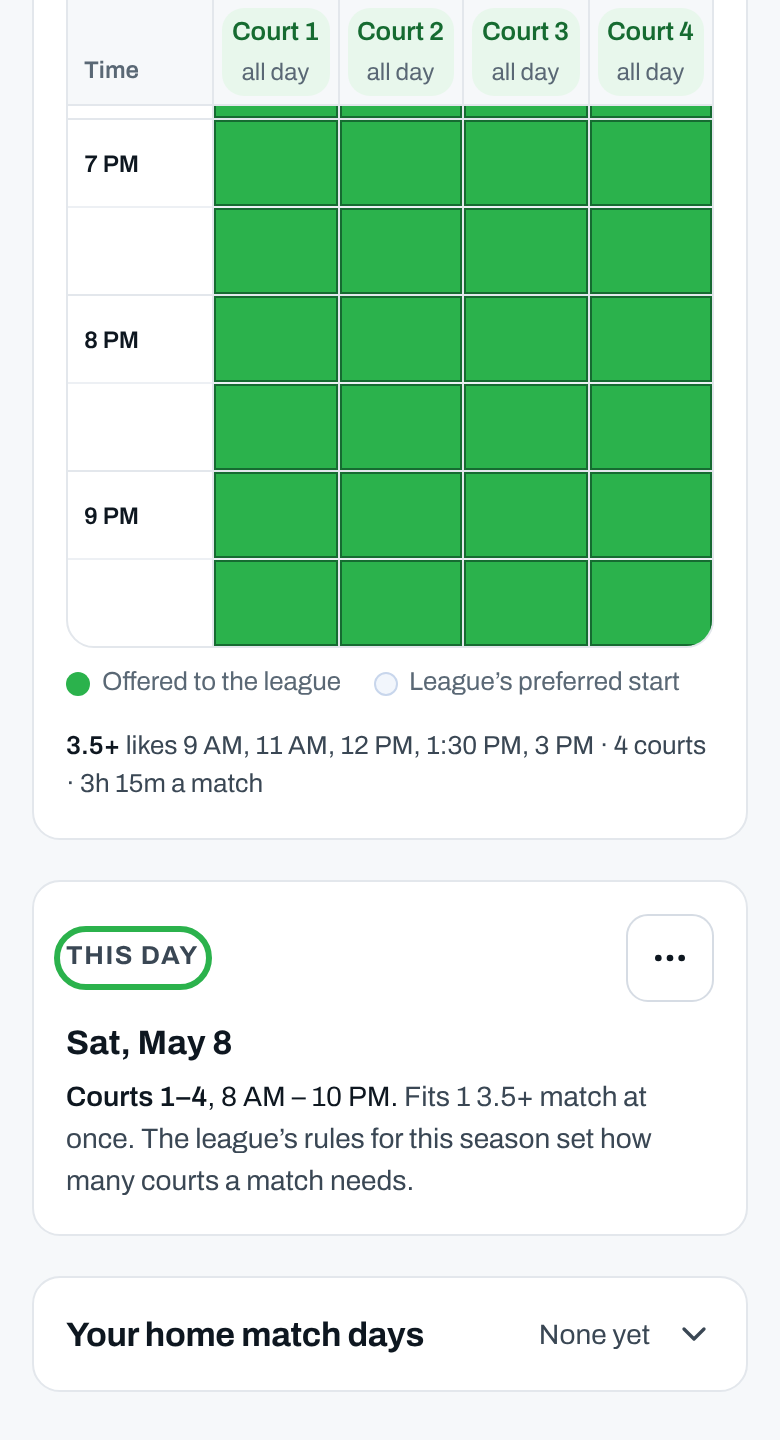
3
Tap courts and times
Each tap offers one court for one match. Tap a court’s name for offer all day.
4
Repeat it weekly
Optional: tap ⋯ and choose Also every and the weekday.
5
Save
Tap Save. When repeating, it says Save every and the weekday.
You see which courts you saved for the day, and its chip says Offered.
More about hosting
Tell the league you're closed
Tell the league you're closed
Open the day, tap ⋯, choose Can’t host this day and tap Save. Clear the day takes back what you offered.
Fix a clash under Problems
Fix a clash under Problems
- A day with more matches than your courts hold, or one you can’t host, is listed under Problems.
- Tap Offer courts, offer what you can and tap Save.
- Can’t? Tap Ask the league, add a note and tap Send to the league office.
How the league uses this
How the league uses this
- Home matches start only at the league’s start times, where you’ve offered enough courts for the whole match.
- A day you don’t offer gets no home matches.
- Captains can only reschedule into times you’ve offered.
- Only the league office moves a match’s time or venue.
Name courts or set opening hours
Name courts or set opening hours
Those are on Home venue. See Add your home venue and courts.
Why isn’t this working?
“First, how many courts does your venue have?”
“First, how many courts does your venue have?”
Tap Add your court count, fill in Courts at this venue, tap Save venue and come back.
My changes disappeared
My changes disappeared
You switched days before saving; its chip says Not saved. Go back, tap the courts again and tap Save.
“Before the grid, you noted courts … for this date.”
“Before the grid, you noted courts … for this date.”
That old note doesn’t count. Tap the courts and times and tap Save, or save the day empty to withdraw it.
“Booked here” lists matches
“Booked here” lists matches
Matches are already scheduled there. Keep at least those courts offered.
“… you said you can’t host, but … booked”
“… you said you can’t host, but … booked”
Tap Offer courts if you can host after all, or Ask the league to move them.
“That day doesn’t clash any more …”
“That day doesn’t clash any more …”
It was fixed before you sent. Check the day in the grid.
“The league office already has this from today.”
“The league office already has this from today.”
Someone at your club already asked. The league office will be in touch.
Related articles
Your club's schedule
Every match, and chasing lineups.
Home venue and courts
Court count, names and hours.
Form your teams
Build your club’s teams.
League rules
Match format, in your league’s rulebook.