

- You need to be an owner. Admins can see who runs the club but not change it.
- Admins run the club day to day. Owners also decide its money and who runs it.
Add someone
1
Open Owners & admins
In Club HQ, tap Club settings, then the Owners & admins row or tab.
2
Enter their details
Under Add someone, fill in First name, Last name and Email.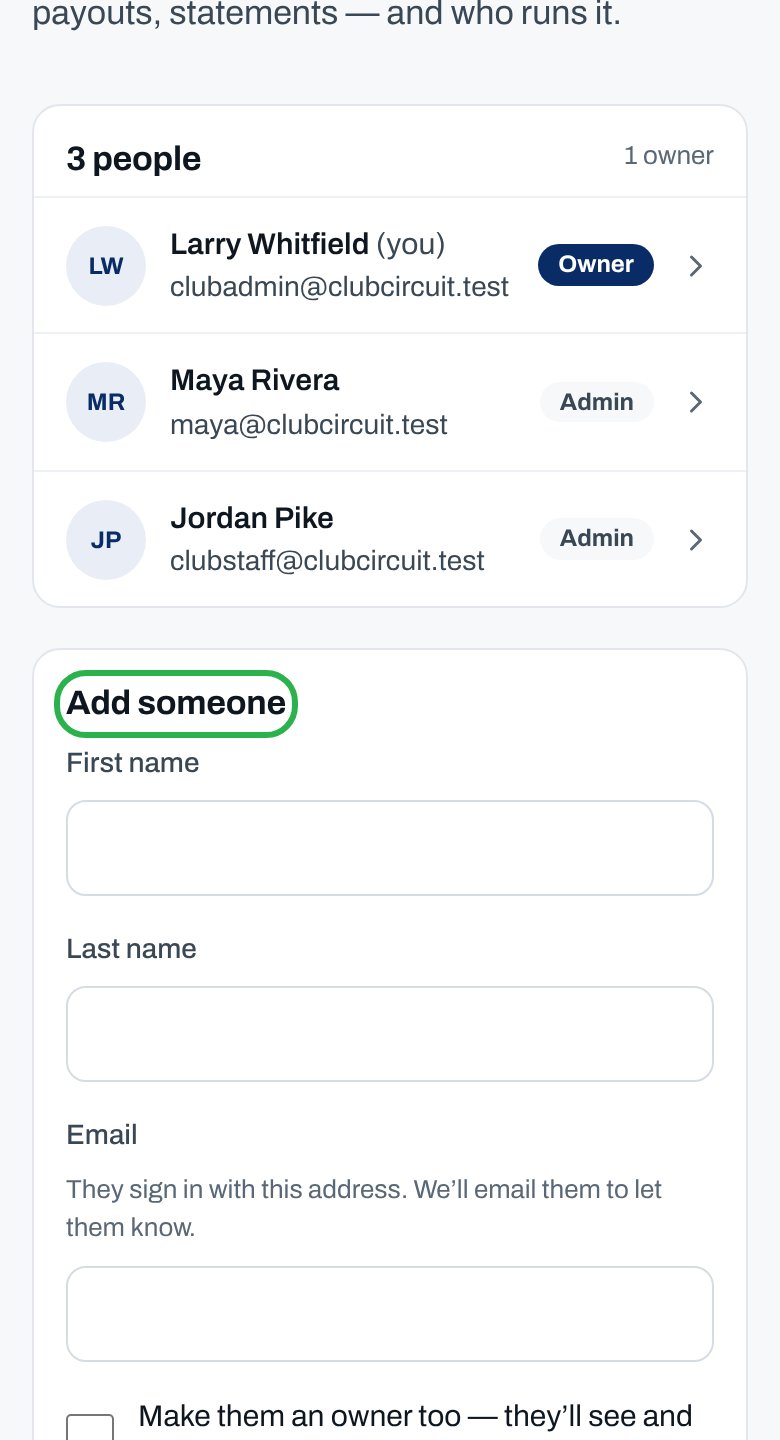
3
Choose their role
For an owner, tick Make them an owner too — they’ll see and decide the club’s money, and who runs it.
4
Add them
Tap Add admin, or Add owner if you ticked the box.
You see ”… is now an admin. We’ve emailed them.” They sign in with that email and choose Club HQ from the switcher at the top of the menu.
Change or remove someone
Change someone's role
Change someone's role
Tap their row, then Make owner or Admin only. Confirm with Yes, make owner or Yes, admin only. An owner made admin only keeps running the club, without its money.
Remove someone
Remove someone
Tap their row, then Remove and Yes, remove. They lose Club HQ right away. Nothing else of theirs changes.
The only owner
The only owner
A club always needs an owner, so the only owner can’t be made admin only or removed. Make someone else an owner first.
Why isn’t this working?
I don't see Add someone
I don't see Add someone
You’re an admin, not an owner. Tap Email an owner to ask your club’s owners.
Tapping a row does nothing
Tapping a row does nothing
Only owners can change roles. Ask an owner, or tap Email an owner.
“… already helps run …”
“… already helps run …”
They’re already on the list. Tap their row to change their role.
“That’s the club’s only owner. Make someone else an owner first.”
“That’s the club’s only owner. Make someone else an owner first.”
Make someone else an owner, then remove this one.
“They’re the club’s only owner. Make someone else an owner first.”
“They’re the club’s only owner. Make someone else an owner first.”
Tap someone else’s row and Make owner first.
“… needs at least one admin. Add someone else first, then remove this one.”
“… needs at least one admin. Add someone else first, then remove this one.”
Add someone else first.
The person I added can't see Club HQ
The person I added can't see Club HQ
They’re signed in with a different email. Ask them to sign out and sign in with the one you entered.
Related articles
Collect court fees
What owners handle.
Set up your club page
Club settings, one area at a time.