

- You need to be one of the club’s own owners. The league office can look, but only owners can invoice.
- Set your court fee for the season first.
- Each home match day is one payout. It’s ready once the day’s last match has started.
- Court fees shows one season at a time. It opens on a season with a payout ready to invoice; otherwise check the season switcher.
Send an invoice
1
Open Court fees
In Club HQ, tap Court fees in the menu. Or tap Send invoice under Needs you on Overview.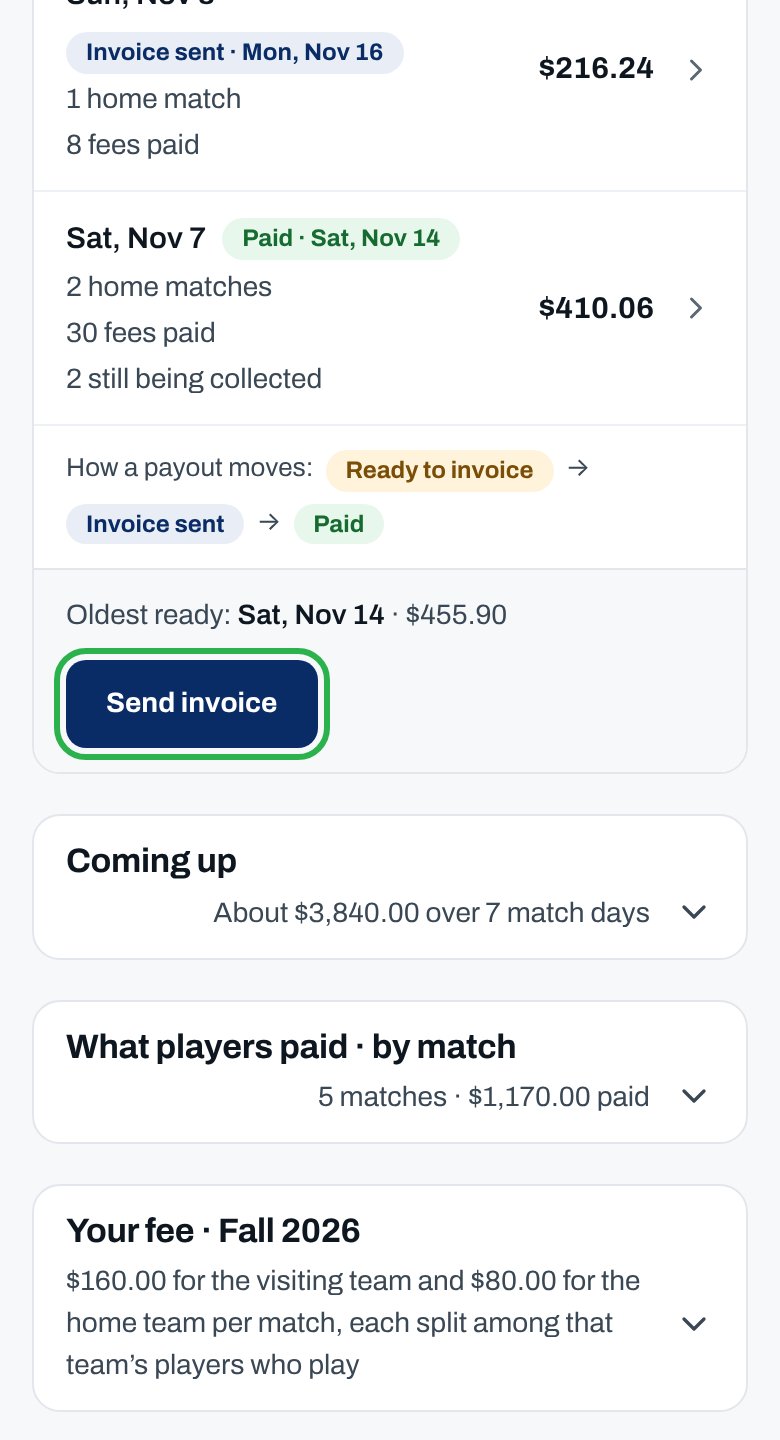
2
Open the payout
Under Payouts, tap a match day marked Ready to invoice.
3
Check the lines
What ClubCircuit owes you lists each line, ending in Net due to you.
4
Send the invoice
Tap Send invoice. ClubCircuit writes it from your club’s details.
5
Keep a copy
Tap View invoice, then Print / Save as PDF.
You see “We’ll tell you when it’s paid.” The payout says Invoice sent. When ClubCircuit pays, it says Paid and your owners get an email.
About payouts
What's in a payout?
What's in a payout?
- What players paid that day, minus refunds and ClubCircuit’s collection fee.
- Card processing comes off too, if your club covers it.
- Sponsor-funded fees and fees ClubCircuit guarantees are added.
- The transaction fee players pay on top of your court fee is ClubCircuit’s. It’s never in your payout. Your fee on Court fees says how processing and the collection fee work for your club.
I sent ClubCircuit my own invoice
I sent ClubCircuit my own invoice
On the payout, under I invoiced another way, add Your reference (optional) and tap Mark invoice sent.
A refund came after I invoiced
A refund came after I invoiced
The league office makes refunds. One after you invoice goes on your next invoice, under Changes since earlier invoices. The invoice you sent doesn’t change.
A match was canceled or postponed
A match was canceled or postponed
A canceled match’s fees are waived or refunded, so they come off that day’s payout. A postponed match’s fees carry to the new date.
Why isn’t this working?
“Only the club’s owners can open this”
“Only the club’s owners can open this”
You’re a club admin, not an owner. Tap See who the owners are and ask one of them.
“Only this club’s owners can invoice ClubCircuit for its court fees.”
“Only this club’s owners can invoice ClubCircuit for its court fees.”
Your role changed while the page was open. Ask an owner; they’re on Owners & admins.
The payout says Being collected
The payout says Being collected
No fee for that day is paid yet, so nothing is owed. Send the invoice once one is.
“… isn’t over yet. Send its invoice once the day’s last match has started.”
“… isn’t over yet. Send its invoice once the day’s last match has started.”
A match that day hasn’t started. Come back after the last one has.
“The invoice for … has already been sent. Open it from Payouts.”
“The invoice for … has already been sent. Open it from Payouts.”
Another owner invoiced that day. Open it under Payouts to see the invoice.
“No payouts yet”, but Overview says an invoice is waiting
“No payouts yet”, but Overview says an invoice is waiting
You’re looking at another season. Pick the season of that match day in the season switcher, or tap Send invoice under Needs you on Overview.
I don't see Send invoice
I don't see Send invoice
The day is already invoiced, nothing is owed yet, or you’re not one of this club’s owners. Check the payout’s chip.
A player's fee says Card declined
A player's fee says Card declined
Nothing to do. ClubCircuit sends them a link to pay.
“Your session ended — sign in again and retry.”
“Your session ended — sign in again and retry.”
Sign in again, then open the payout and tap Send invoice again.
Related articles
Set your court fee
What players pay for your courts.
Reconcile with Fee history
Every fee, and which invoice it’s on.
Set up payouts
Be paid straight to your bank.
Fee sheet
What players pay this season.