

- You need to be a club admin or owner.
- Announcements reach this season’s people only: players on your teams, and paid or approved registrations.
- Players can’t reply or turn club news off.
Send an announcement
1
Open Announcements
In Club HQ, tap Announcements in the menu.
2
Tick who it's for
Under Send to, tick Everyone in your club, or teams and Everyone paid or approved under a season.
3
Check the reach
The line below says Reaches and how many people.
4
Write it
Fill in Subject and Message.
5
Review and send
Tap Review and send, check the preview, then tap Send to … people.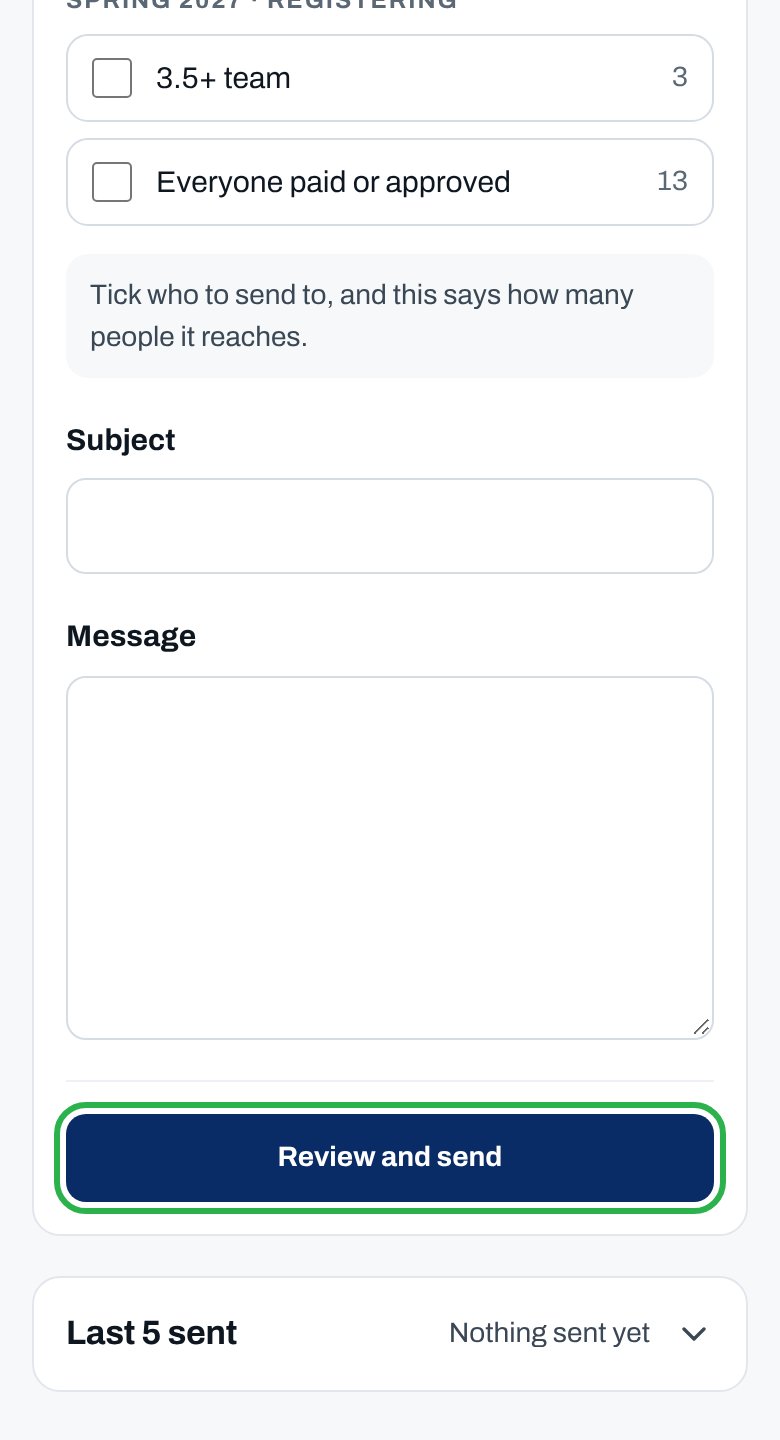
You see “Sent to … people.” It’s listed under Last 5 sent. Tap it to see who got it and when.
More about messaging
Who each choice reaches
Who each choice reaches
- Everyone in your club: every team and paid or approved registration in a season that’s registering or in play.
- A team: the players on its roster.
- Everyone paid or approved: that season’s paid or approved registrations, and its teams. Not the waitlist or unpaid.
See everything you've sent
See everything you've sent
Under Last 5 sent, tap Show all.
Message another club
Message another club
Tap Messages in the menu, then New conversation, and pick the club. Every admin of that club reads and replies. Only the two clubs’ admins can read the thread. A club you already talk to says Open thread.
Why isn’t this working?
“Pick who to send to: everyone, a season or a team.”
“Pick who to send to: everyone, a season or a team.”
Tick at least one choice under Send to.
“No one is on those rosters yet. Pick another team or season.”
“No one is on those rosters yet. Pick another team or season.”
Place players on the team first, or tick Everyone in your club.
“Add a subject of at least 3 characters.”
“Add a subject of at least 3 characters.”
Give it a short subject.
“Write the message before you send it.”
“Write the message before you send it.”
Write your message, then tap Review and send.
“Who this reaches changed while you were writing …”
“Who this reaches changed while you were writing …”
Someone joined or left. Check the list, then review and send again.
“There’s no one to send to yet.”
“There’s no one to send to yet.”
Nobody is on your teams or registered with you this season. Send it once players register.
“You can only message clubs in your market.”
“You can only message clubs in your market.”
That club is in another league. Email support@clubcircuitpb.com.
A player didn't get my announcement
A player didn't get my announcement
Ask them to check spam and the bell in the app. A past-season player not registered this season isn’t included.
Related articles
What players see
Team chat and messages.
Contact other captains
The captains directory.