

- Club admins and owners can both build teams.
- Your club must be entered in the season. See Enter your club in a season.
- Your league sets how many men and women a team needs, by division: see Club and team participation and the rulebook (Rally to 15 · Rally to 21 · Side-out to 11).
Build and confirm a team
1
Open Team builder
In Club HQ, tap Team builder under Season in the menu.
2
Add a team
Tap Add a team, choose the Division, and tap Add team. A division showing your club’s limit already has as many of your teams as it allows.
3
Pick a player
Under Players to place, tap Place beside them.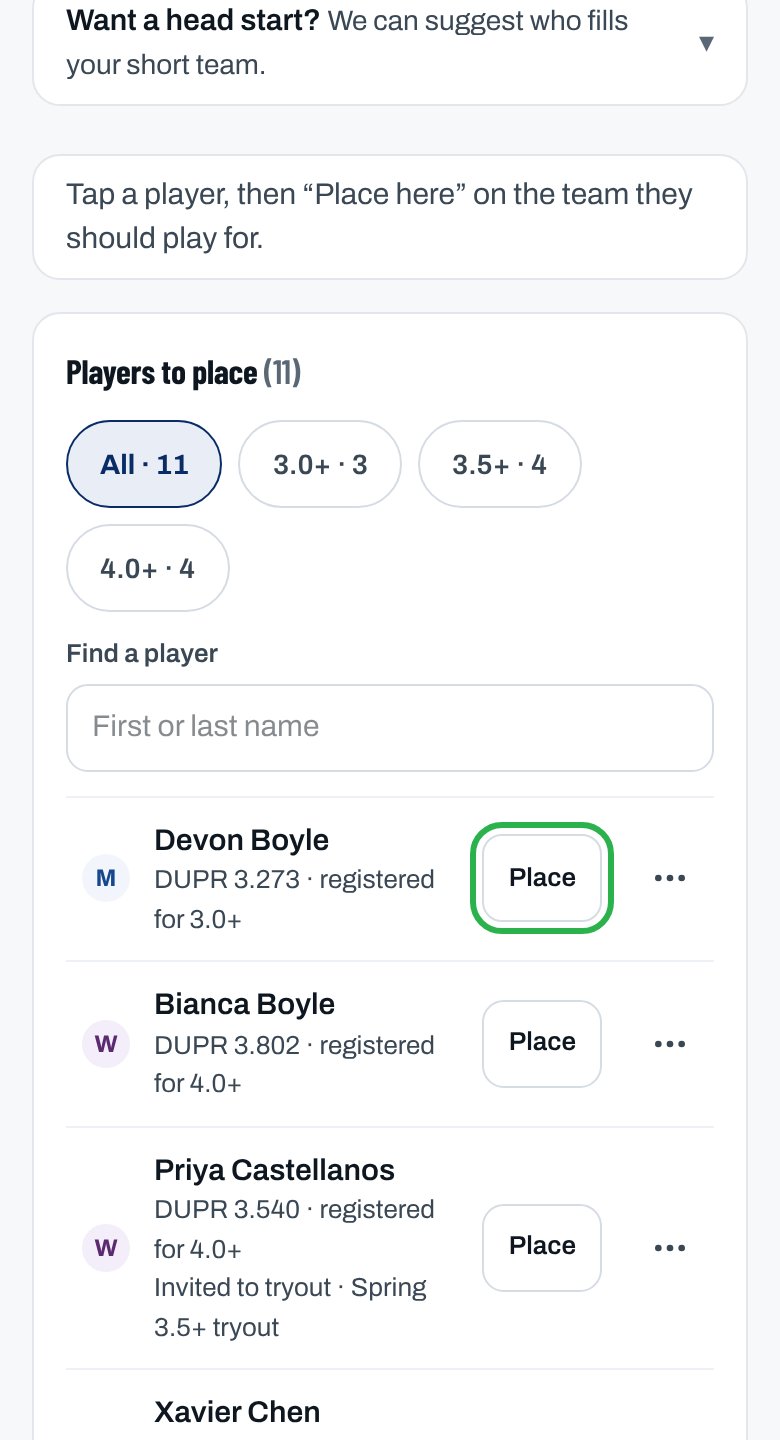
4
Place them
Tap Place here on their team (on a computer, Place … here on its card).
5
Confirm the team
When it shows Can field, tap Confirm team…, then Confirm team.
You see “Team confirmed.” It’s entered in its division and counts toward the division running. Each player you placed was emailed their team.
More ways to place players
Let ClubCircuit suggest a start
Let ClubCircuit suggest a start
Open Want a head start? and tap Place N on a team to place its suggested players, strongest first. Each is emailed.
No spot for a player
No spot for a player
On their ⋯ menu, tap Put on your waitlist (we email them) or Suggest they sub instead (we email a sign-up link).
Players invited to a tryout
Players invited to a tryout
Invite them under Tryouts on Registrations. They stay in Players to place, marked Invited to tryout or Came to tryout.
Download every team
Download every team
Tap ⋯ at the top of Team builder, then Export CSV.
Emails before the league decides
Emails before the league decides
Owners and admins get Confirm … by … if a team still needs something, with Confirm your teams.
Why isn’t this working?
“Your club isn’t entered in … yet, so you can’t add teams to it.”
“Your club isn’t entered in … yet, so you can’t add teams to it.”
Tap Overview and accept the league’s invitation (Enter and the season’s name), then come back.
“… registered for …, which you don’t field”
“… registered for …, which you don’t field”
Tap Add a and the division’s name, like Add a 3.0+ team, then place them.
“… is full — it's at its …-player cap.”
“… is full — it's at its …-player cap.”
Place them on another team in the division, move someone off, or suggest they sub.
“… already has … — the most this division allows.”
“… already has … — the most this division allows.”
Use another team in the division, or move a player of that gender off first.
“Each club can enter … in …, and your club already has … there.”
“Each club can enter … in …, and your club already has … there.”
This division allows a set number of teams per club. Place players on the team you already have, or add the team in another division.
“Each club can enter … in …, and … is already confirmed there.”
“Each club can enter … in …, and … is already confirmed there.”
Move this team’s players onto the confirmed team and remove this one, or ask the league office.
“Before … can be confirmed: …”
“Before … can be confirmed: …”
Place or move the players the message names, then confirm.
“… is rated …, over the … limit of ….” or “… can’t be confirmed yet.”
“… is rated …, over the … limit of ….” or “… can’t be confirmed yet.”
Their rating is over the division’s limit. Use a team in a division that fits. See Eligibility and ratings.
“Nobody to place in this division. Choose All to see everyone.”
“Nobody to place in this division. Choose All to see everyone.”
Tap All in the division filter.
“… players are waiting to be placed in …”
“… players are waiting to be placed in …”
Nobody is left to place in this season, but another season has players waiting. Tap Place them in … to switch to it.
Related articles
Change a team's roster
Move a player, take them off, or rename a team.
Assign a captain
Every team needs one.
Track registrations
Who’s registered and paid.
League rules
Roster rules, in your league’s rulebook.