

- You need to be signed up to sub.
- Sign in with the email the request was sent to. Each request is for one player.
- Answer quickly. A request closes when the match starts, when someone accepts, or if the captain cancels it.
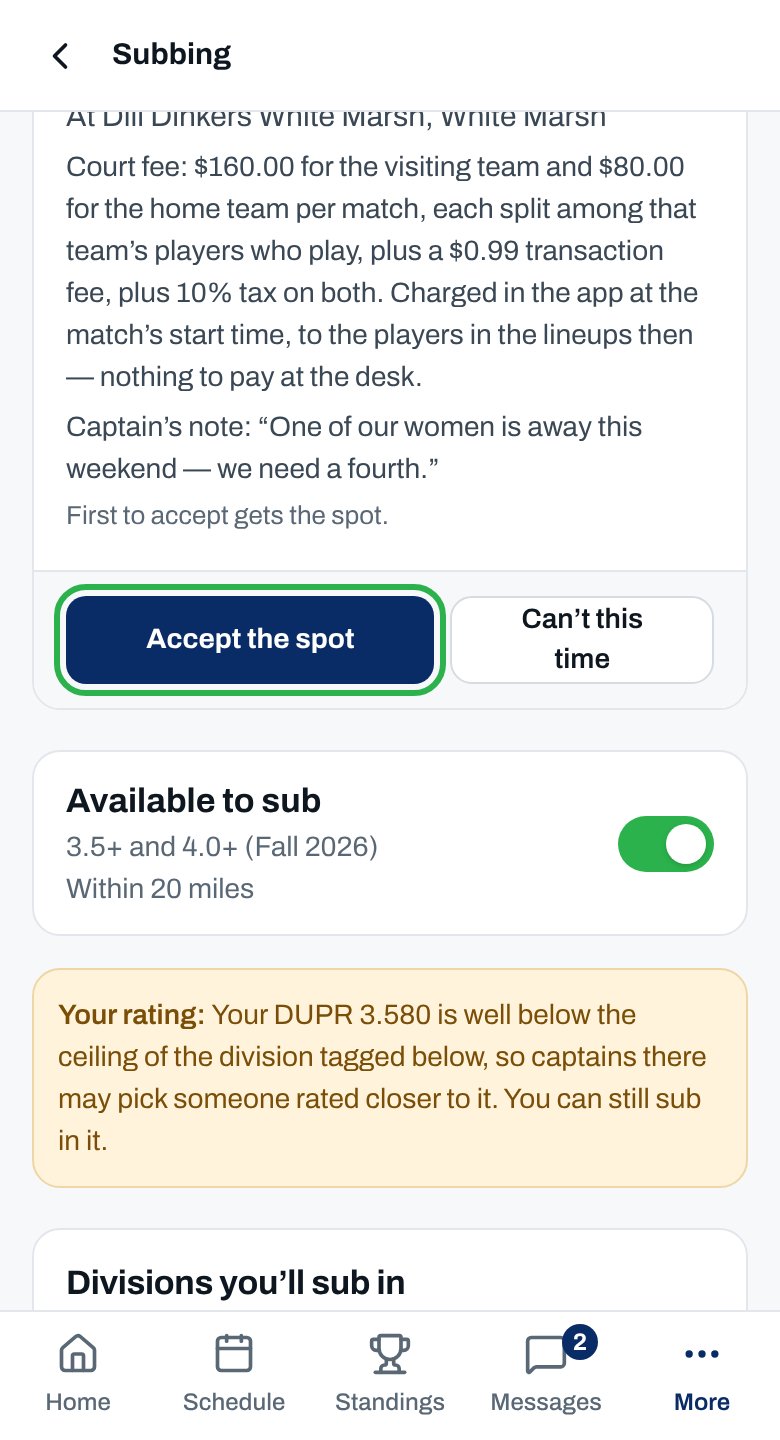
Accept a spot
Open the email
Tap Accept the spot
Sign in if asked
Confirm
More about sub requests
Decline a request
Decline a request
The division charges a sub activation
The division charges a sub activation
- When you accept, you see the amount and what it covers. Tap Pay now and pay on Stripe.
- Then open the offer again and tap Accept the spot.
- The spot isn’t held while you pay. If someone beats you, the activation covers your next match in that division.
- Amounts are on the season’s fee sheet.
After the match
After the match
The captain canceled the request
The captain canceled the request
Why didn't I get an email?
Why didn't I get an email?
Why isn’t this working?
I can’t accept
I see Sign in to accept, not Accept the spot
I see Sign in to accept, not Accept the spot
“That offer was sent to a different player.”
“That offer was sent to a different player.”
“You’ve already got … sub appearances …, played or booked”
“You’ve already got … sub appearances …, played or booked”
“You can’t sub in a division you’re registered in or on a roster for.”
“You can’t sub in a division you’re registered in or on a roster for.”
“You have your own team’s match at …, which overlaps this one”
“You have your own team’s match at …, which overlaps this one”
“…payments aren’t set up yet — contact the league office.”
“…payments aren’t set up yet — contact the league office.”
“Before you can take a spot, accept the agreements waiting for you…”
“Before you can take a spot, accept the agreements waiting for you…”
The offer has closed
“Someone else has already taken this spot.” or “Spot filled”
“Someone else has already taken this spot.” or “Spot filled”
“This request has closed”
“This request has closed”
“Request canceled”
“Request canceled”
“Already answered” or “You’ve already responded to this offer.”
“Already answered” or “You’ve already responded to this offer.”
“Offer not found”
“Offer not found”