

- Only subs who can play this match are listed: signed up for your division, free that day, and within their travel distance.
- Your league’s sub rules decide who’s eligible. See the rulebook (Rally to 15 · Rally to 21 · Side-out to 11).
Offer the spot to every eligible sub
1
Tap Find a sub
It’s at the top of Manage team, or tap the Subs tab. Or tap Ask for 1 woman (or similar) on your next match.
2
Pick the match
On a phone, choose it from Match. The card says who you’re short.
3
Tap Need a sub?
The form starts on what you’re short: Gender needed (optional) and How many subs.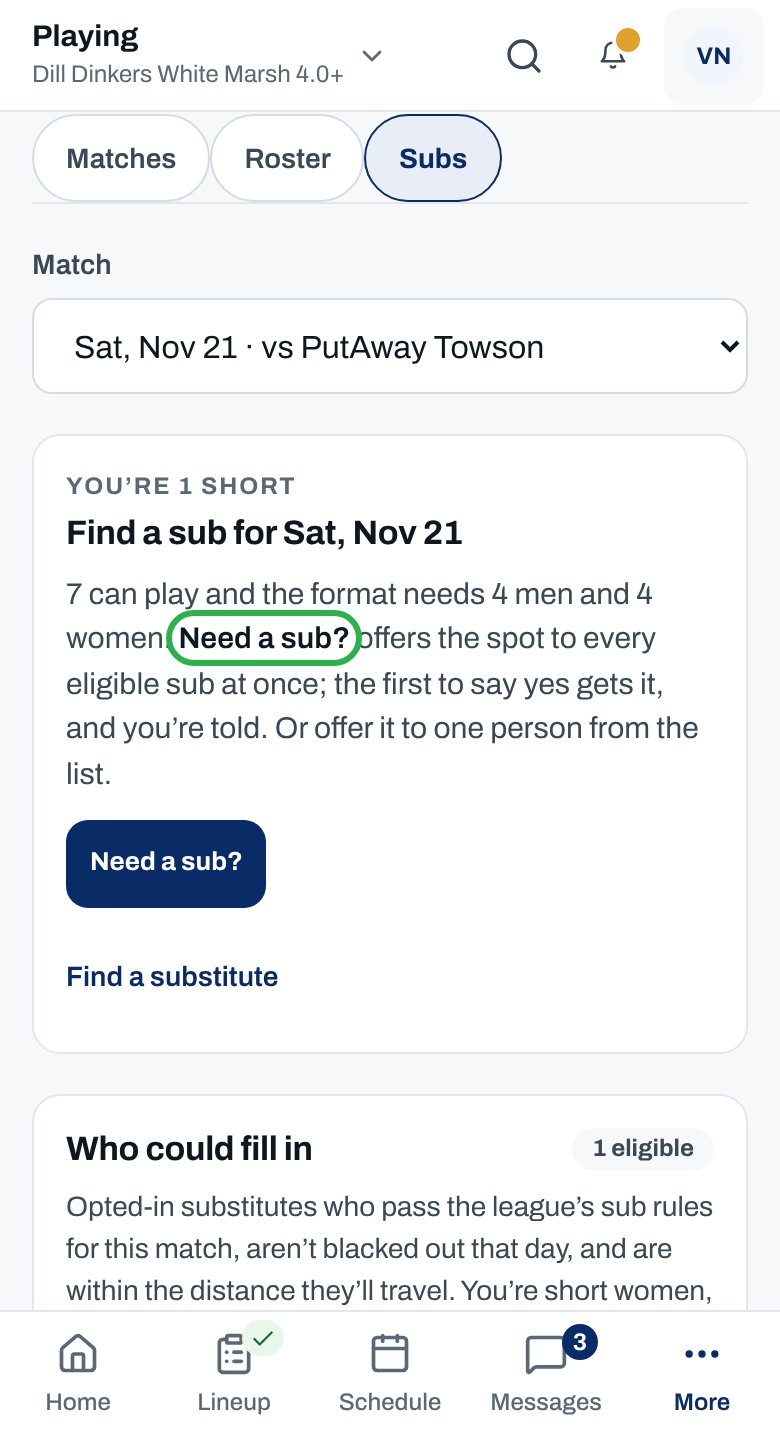
4
Add a note
Optional. Use Note to candidates (optional), for example where to park.
5
Tap Send offers
Each eligible sub gets the offer.
You see “Offer sent to … eligible substitutes.” When a sub accepts, you get an email, an inbox line and a push naming them, and they appear in your lineup builder.
More about subs
Short as a new captain
Short as a new captain
Until you’ve captained a match whose scores were confirmed, the card reads Find a sub for the match date and says what’s short. Need a sub? works the same way.
Ask one sub instead
Ask one sub instead
Under Who could fill in, tap Offer a spot beside their name. They show Offered · waiting until they answer.
What subs see
What subs see
- The offer is on their Subbing page, with an email to Accept the spot or say Can’t this time. For a match further off, the email follows their notification settings.
- The email says how many others were asked, and that the first to accept gets the spot.
- The sub who gets the spot is emailed your name and a link to message you in ClubCircuit. The email doesn’t include your phone number or email address.
Who gets the spot
Who gets the spot
The first subs to accept fill the spots. Some divisions charge subs an activation first, so a sub may take a little longer to confirm.
After the match
After the match
The sub leaves your roster automatically once the match is settled. Their results stay in their history.
Finals day
Finals day
Only players on your submitted playoff roster count toward whether you’re short. Submit it first: see Submit your playoff roster.
Why isn’t this working?
“No eligible substitutes right now”
“No eligible substitutes right now”
Nobody signed up for your division can play this match today. Check again closer to the match, or ask the league office.
A sub I know isn't on the list
A sub I know isn't on the list
They may have blocked out that day, live too far, play in your division, or have their own match then. Ask them to check their Subbing page.
Only men, or only women, are listed
Only men, or only women, are listed
You’re short of one gender, so only subs of that gender are shown.
A note says “Rating gap:”
A note says “Rating gap:”
Some subs are rated well below your division’s ceiling. It’s a heads-up; you can still offer them a spot.
“No eligible, opted-in substitutes match this request right now.”
“No eligible, opted-in substitutes match this request right now.”
Nobody fits, often because of the gender you picked. Set Gender needed (optional) to Either, if your lineup allows.
“Everyone eligible already has an offer for this match.”
“Everyone eligible already has an offer for this match.”
Everyone has been asked. Wait for answers, or check later as more subs sign up.
“They already have an offer for this match. You’ll hear when they answer.”
“They already have an offer for this match. You’ll hear when they answer.”
You’ve already asked them. Your inbox tells you when they answer.
I can't find Need a sub? or Offer to all
I can't find Need a sub? or Offer to all
You already have a request out, so the card shows Sub request: instead. See Track or cancel a sub request.
Related articles
Track or cancel a request
See who’s answered, or call it off.
Answer a sub request
What your subs see.
Build your lineup
Put your sub in a seat.
League rules
Who can sub, in the rulebook.